Whole-genome upload problems: index, reference build and coverage
What each message means when Nexju cannot read your BAM or CRAM, and how to fix it: a wrong index, a GRCh38 alignment, low coverage or a closed tab.
Updated 2 min read
Most whole-genome problems come from three things: an index made from another file, an alignment to GRCh38, or too little coverage. Each one has its own message on the upload page. This guide lists each message, what it means and what to do.
For the upload itself, see Add your whole genome.
Messages before the read starts
"This file isn't a BAM or CRAM." The genome slot holds another kind of file, often the index or a VCF. Choose the .bam or .cram itself, together with its index.
Only one file gets a tick. Your browser needs the genome file and its index. Choose or drop both at once. A CRAM's index ends in .crai, and a BAM's in .bai or .csi.
Messages while the file is read
"The index doesn't fit this file." The index was made from another file, or from an earlier copy of this one. Make a new index from the file you have:
samtools index sample.cramThen choose the file and the new index again.
"This file is aligned to GRCh38 or T2T." Nexju reads alignments to GRCh37 (hg19, b37 or hs37d5) for now, because the AADR's sites are positions on GRCh37. Ask your sequencing company for a GRCh37 alignment, or realign your reads to GRCh37.
"The genome reader stopped. Reload the page and try again." The browser ended the read, usually because the computer ran low on memory. Close other heavy tabs and apps, reload the page and add the genome again.
The read stopped when the tab closed or the computer slept. The read runs in the tab, so it stops with it. Nothing reached Nexju, so there is nothing to delete. Keep the tab open, keep the computer awake, and start again.
Messages after the read
These show under the genome in Your DNA files, marked as failed.
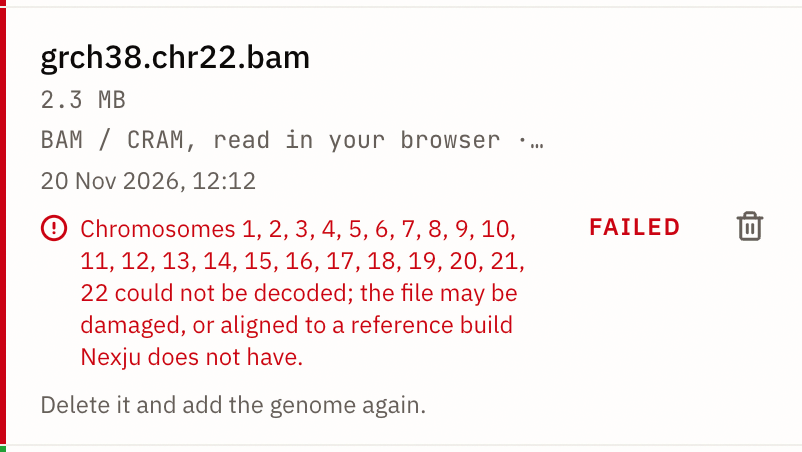
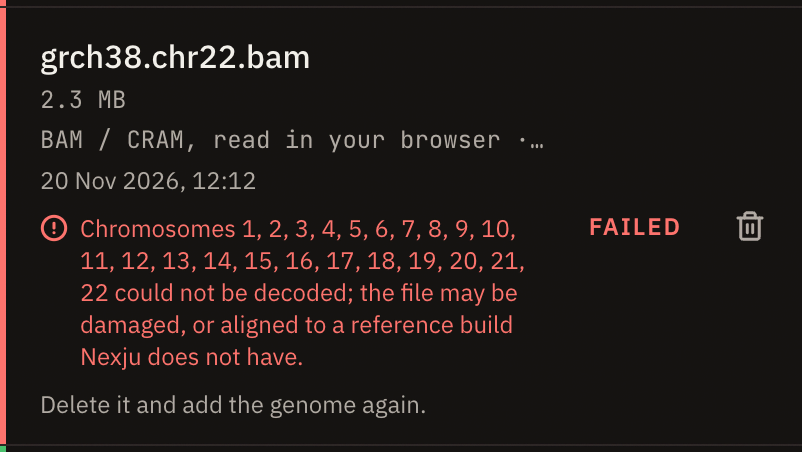
"Chromosomes … could not be decoded." Those chromosomes are damaged in the file, or the file is aligned to a reference build Nexju doesn't have. When every chromosome is listed, the file is almost always a GRCh38 alignment. Delete the failed genome and add a GRCh37 alignment.
Too few sites were called. Fewer than 50,000 of the AADR's sites had a call, so the genome would tell a model too little. This happens with diploid calls on a low-pass genome. Delete it and add the genome again with pseudohaploid calls. See Diploid or pseudohaploid calls.
"Nexju's SNP panel changed while your browser read the file." Nexju updated the list of sites to call during your read. Delete the failed genome and add it again. The next read uses the new list.
Plan limits
Whole genomes are a Max benefit, and each one counts as one of your plan's DNA uploads. A failed genome doesn't count. If the upload page says you have used them all, delete a file you no longer need and add the genome again.